FluxGym has made FLUX LoRA training easier for beginners who want to create customized AI models without dealing with complicated workflows. Whether you want to train a unique character, personal art style, product design, or creative concept, FluxGym provides a simple way to customize FLUX models using your own dataset. This complete FluxGym tutorial for beginners will guide you through the essential steps, including installation, preparing training images, understanding important settings, starting your first LoRA training, and testing the final results. By following this guide, even users with limited AI experience can learn how FluxGym works and begin creating personalized AI-generated images in 2026.
Read More: How Do I Configure the Best FluxGym Settings for High-Quality LoRA Training?
What Is FluxGym?
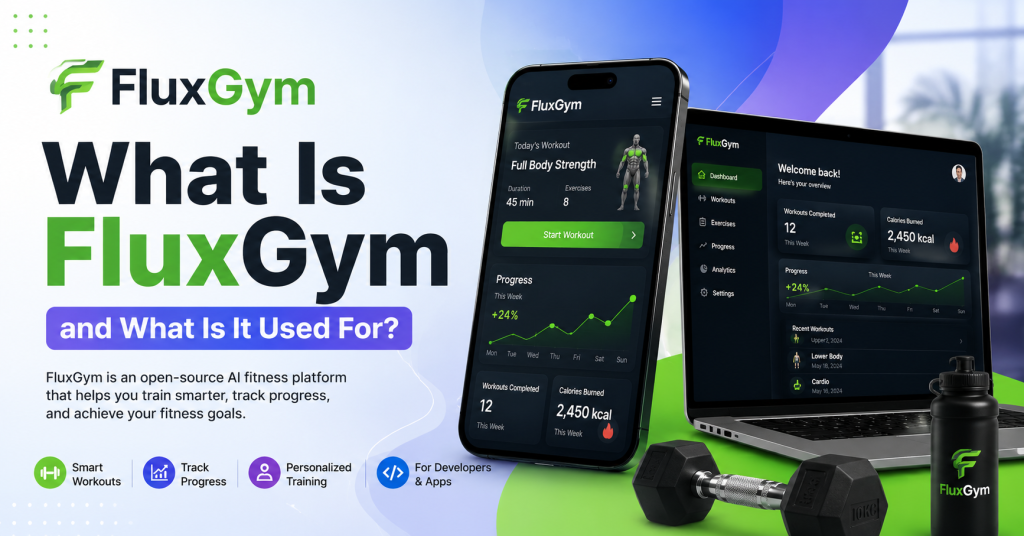
FluxGym is an AI model training tool that makes FLUX LoRA training easier and more accessible. Instead of manually configuring complicated training commands, users can manage the process through a simpler interface.
A LoRA (Low-Rank Adaptation) model is a lightweight AI file that teaches an existing model a new concept. Rather than creating a completely new AI model from the beginning, LoRA training modifies specific parts of the model so it can generate images based on your custom data.
For example, you can train FluxGym to understand a specific person, a unique art style, a product design, a fictional character, or a particular visual theme.
Why Should Beginners Use FluxGym?
Traditional AI model training can be confusing because it often involves command-line tools, complicated settings, and technical configurations. Beginners may spend more time fixing setup problems than actually creating models.
FluxGym reduces this complexity by providing a more straightforward workflow. Users can focus on preparing quality images and adjusting important training options instead of dealing with advanced technical processes.
For new AI creators, FluxGym is a practical starting point because it provides an easier way to explore custom FLUX model training.
What Do You Need Before Starting FluxGym?
Before training your first model, you need a few basic things ready. Your computer should have suitable hardware, the required software environment, and a properly prepared dataset.
The most important requirement is a capable GPU because AI training requires significant processing power. A modern NVIDIA graphics card with enough VRAM will provide better performance and faster results.
You should also prepare a collection of high-quality images that represent the concept you want FluxGym to learn.
A good beginner setup usually includes:
- FluxGym installed correctly
- FLUX model files
- A compatible GPU
- Training images
- Enough storage space
Having everything prepared before starting will make the training process smoother.
How to Install FluxGym
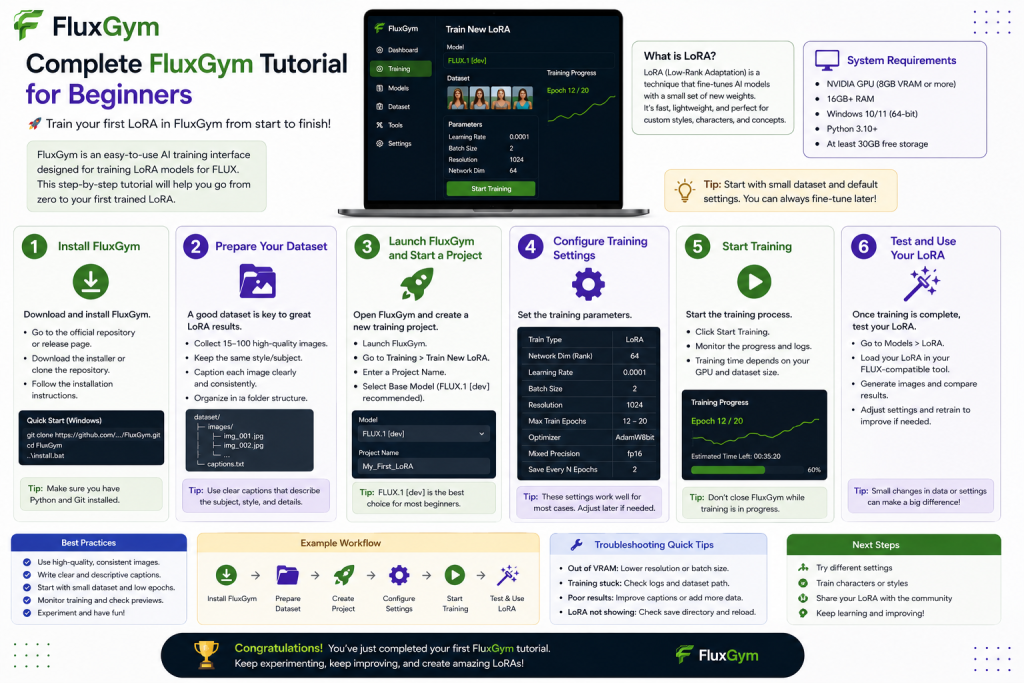
The first step is installing FluxGym on your computer. The installation process may vary depending on your operating system, but the general workflow remains similar.
Download FluxGym from its official source and follow the setup instructions provided for your system. Make sure all required dependencies are installed before opening the application.
After installation, launch FluxGym and check that the interface loads correctly. If you see the main dashboard without errors, your installation is ready for creating your first project.
How to Prepare a Dataset for FluxGym Training
The quality of your dataset directly affects the quality of your final LoRA model. Many beginners focus only on training settings, but the images they provide are usually the most important factor.Your dataset should contain clear and relevant images that represent the exact subject or style you want to train. Avoid using blurry, low-quality, or unrelated images because they can reduce the accuracy of your model.
For example, if you are training a character model, include different angles, expressions, and poses. If you are training an artistic style, use images that consistently represent that style.
A smaller dataset with carefully selected images often produces better results than a large collection of poor-quality images.
Creating Your First FluxGym Project
After preparing your images, open FluxGym and create a new training project. The interface allows you to organize your dataset, choose your FLUX model, and configure training settings.
Start by importing your image folder into the project. FluxGym will process the images and prepare them for training.
At this stage, review your dataset carefully. Remove any images that do not match your training goal because unnecessary images can confuse the model.
Understanding FluxGym Training Settings
FluxGym provides different settings that control how your LoRA model learns. Beginners often feel overwhelmed by these options, but you do not need to change everything immediately.The learning rate controls how quickly the model learns from your images. A balanced value helps the model understand the concept without losing image quality.
Training steps and epochs determine how long the model studies your dataset. Too little training can produce weak results, while excessive training may cause the model to memorize images instead of learning general features.Resolution settings also affect the final quality. Higher resolutions can produce more detailed results but require more GPU memory.
For your first project, it is usually better to start with recommended settings and adjust them after understanding the results.
Starting Your First LoRA Training
Once your dataset and settings are ready, you can begin training your FLUX LoRA model. FluxGym will process your images and gradually teach the base model your selected concept.During training, you can monitor progress and check generated previews. These previews help you understand whether the model is improving or if adjustments are needed.
Training time depends on your hardware, dataset size, and selected settings. Some projects may finish quickly, while larger or more detailed models can require several hours.
Testing Your Trained LoRA Model
After training is complete, FluxGym will create your LoRA file. This file can be used with compatible FLUX image-generation workflows.Testing is an important step because it shows how well your model learned the concept. Try different prompts and adjust the LoRA strength to find the best balance.
If the results are not accurate, do not worry. Many creators improve their models by changing the dataset, captions, or training settings and running another training session.
Common Beginner Mistakes in FluxGym
Many new users experience problems because they rush into training without understanding the basics.
Some common mistakes include:
- Using poor-quality training images
- Adding too many unrelated images
- Training for too many steps
- Ignoring preview results
- Changing advanced settings too early
A simple and focused approach usually gives better results. Start with a small project, learn how the settings work, and improve your workflow gradually.
Tips to Get Better Results with FluxGym
Creating high-quality LoRA models requires experimentation. Even experienced users often test different datasets and settings to achieve better results.Focus on improving your images first because better training data usually creates better AI outputs. Keep your dataset organized and make small adjustments instead of changing many settings at once.
It is also helpful to save different versions of your models. This allows you to compare results and identify which training approach works best.
Is FluxGym Good for Beginners?
Yes, FluxGym is a good choice for beginners who want to explore FLUX LoRA training without learning complicated machine learning workflows.
Its simplified approach makes it easier for new users to understand the basics of AI model customization. While advanced users can experiment with detailed settings, beginners can start with simple configurations and gradually improve.
For anyone interested in creating personalized AI images, FluxGym provides an accessible way to enter the world of custom AI training.
Conclusion
FluxGym provides a simple and beginner-friendly way to explore FLUX LoRA training and create customized AI models. By understanding the basics of dataset preparation, training settings, and model testing, beginners can start creating unique AI-generated images without needing advanced machine learning knowledge. The quality of your results mainly depends on using a well-prepared dataset, choosing suitable settings, and experimenting with different approaches. As you gain more experience, you can explore advanced options to improve your LoRA models and achieve better results. Whether you are an AI artist, designer, or creative enthusiast, FluxGym is a useful tool for turning your ideas into personalized FLUX AI creations in 2026.