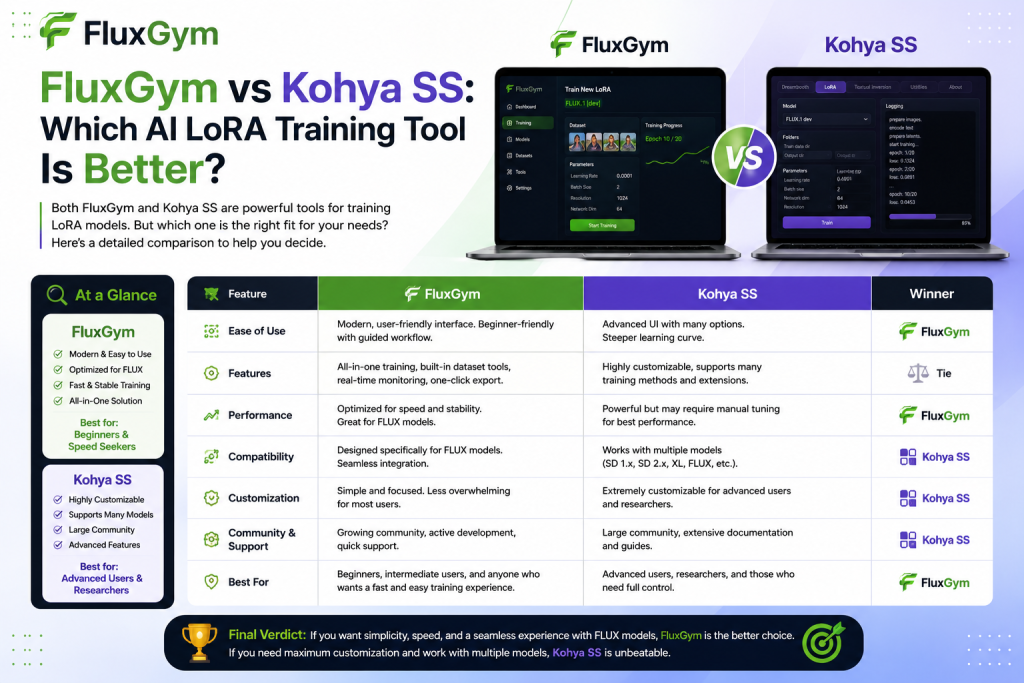
AI image generation has evolved rapidly, and LoRA training has become one of the easiest ways to create customized AI models, styles, and characters. When it comes to training FLUX LoRA models, two popular tools often come into comparison: FluxGym and Kohya SS. Both platforms help users fine-tune AI models, but they are designed for different types of creators. FluxGym focuses on simplicity, accessibility, and a beginner-friendly workflow, while Kohya SS offers advanced features and deeper customization for experienced users.
Choosing the right tool depends on your technical knowledge, training goals, and the level of control you need. In this guide, we compare FluxGym vs Kohya SS to help you decide which AI LoRA training tool is better for your needs.
Read More: What Are the System Requirements for Running FluxGym?
What Is FluxGym?
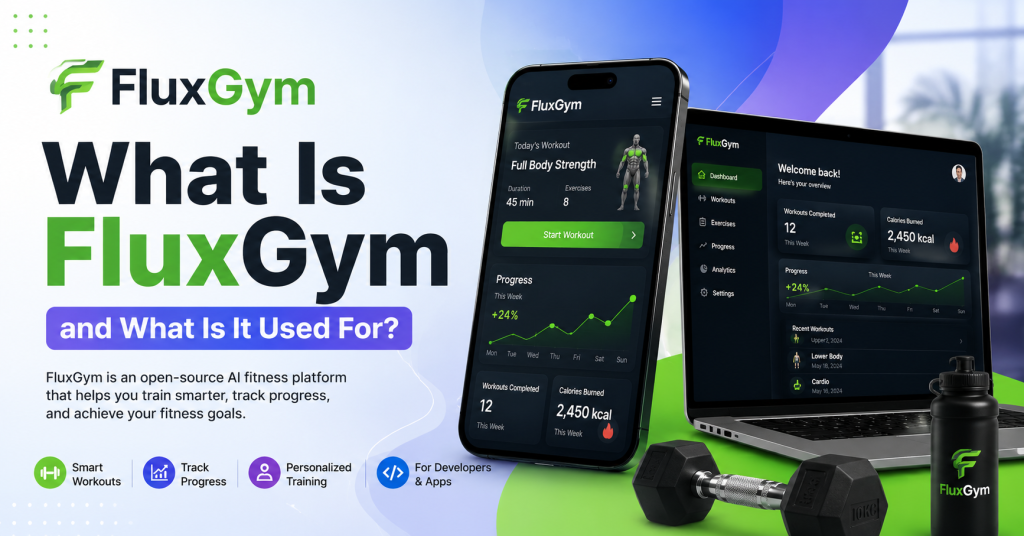
FluxGym is an open-source LoRA training tool built specifically to make training FLUX models simple and accessible. Instead of relying heavily on command-line instructions and complex configurations, it offers a clean graphical interface where users can manage datasets, configure training settings, and monitor progress from a single dashboard.
One of FluxGym’s biggest strengths is its beginner-friendly design. New users can start training with recommended settings while still having access to more advanced options as they gain experience. This balance between simplicity and flexibility has made FluxGym increasingly popular among AI artists, content creators, and hobbyists.
What Is Kohya SS?
Kohya SS is one of the most well-known AI training tools in the Stable Diffusion community. It supports LoRA training, DreamBooth, fine-tuning, and many advanced machine learning workflows. Because of its wide range of features, it has become the preferred choice for experienced users who want complete control over every stage of the training process.
Although Kohya SS offers exceptional flexibility, it also comes with a steeper learning curve. New users often need time to understand its settings, dependencies, and workflow before they can achieve consistent results. For experienced AI developers, however, those additional options can be a significant advantage.
Ease of Installation
Installation is one of the first differences most users notice between these two tools. FluxGym aims to reduce the setup process by providing a more straightforward installation experience. Once the required dependencies are installed, users can launch the application and begin creating projects with minimal configuration.
Kohya SS generally requires more manual setup. Depending on your operating system, you may need to install Python packages, configure environments, and verify compatibility with your GPU drivers. While this process is manageable for technical users, it can be intimidating for beginners.
User Interface
The interface plays an important role in overall usability. FluxGym provides a modern, organized dashboard that guides users through each stage of LoRA training. Dataset selection, model configuration, training progress, and output management are clearly arranged, making navigation simple even for first-time users.
Kohya SS includes a functional interface but exposes many advanced parameters at once. While this gives experienced users greater control, newcomers may find the number of settings confusing. Learning what each option does often requires additional documentation or experimentation.
Training Performance
When configured correctly, both FluxGym and Kohya SS are capable of producing high-quality LoRA models. The final results depend more on the quality of your dataset and training parameters than on the software itself.
FluxGym emphasizes optimized defaults that help beginners achieve reliable results without extensive tweaking. Kohya SS, on the other hand, allows users to fine-tune nearly every aspect of training. Skilled users can often extract slightly more customized performance by carefully adjusting advanced settings, although this requires more experience.
Supported Models
FluxGym is designed with FLUX model training in mind, making it an excellent choice for users working specifically within the FLUX ecosystem. Its workflow is optimized for this purpose, allowing creators to focus on training rather than software configuration.
Kohya SS supports a wider range of AI models and training methods. Users working across multiple image-generation platforms may appreciate its broader compatibility and extensive feature set. This flexibility makes it attractive for professionals handling diverse AI projects.
Learning Curve
For beginners, FluxGym offers a much smoother learning experience. The guided workflow, sensible defaults, and simplified interface allow users to understand the fundamentals of LoRA training without feeling overwhelmed. Many people can complete their first successful training session after only a short period of learning.
Kohya SS requires more patience. Because it exposes many advanced options, users often spend additional time learning how different settings affect model quality. Although the learning investment pays off for advanced projects, it may discourage those who simply want to create custom LoRAs quickly.
Customization Options
Customization is where Kohya SS truly excels. Advanced users can adjust numerous training parameters, optimize memory usage, experiment with schedulers, and fine-tune nearly every aspect of the workflow. This level of control is one of the main reasons experienced AI practitioners continue to rely on Kohya SS.
FluxGym intentionally reduces unnecessary complexity while still offering the settings most users actually need. Rather than presenting dozens of technical options immediately, it prioritizes a streamlined experience that helps users focus on producing quality models.
Community and Documentation
Both tools benefit from active communities, although their audiences differ slightly. FluxGym continues to grow as more creators adopt FLUX models and seek beginner-friendly training software. Community guides, tutorials, and discussions are expanding rapidly, making it easier for new users to find support.
Kohya SS has been available for a longer period and has accumulated extensive documentation, tutorials, and community knowledge. If you encounter a technical issue, there is a good chance someone has already documented a solution. This mature ecosystem is one of Kohya SS’s greatest strengths.
Which Tool Is Better for Beginners?
For someone completely new to AI model training, FluxGym is generally the easier choice. Its clean interface, simplified workflow, and optimized defaults remove much of the complexity that often discourages first-time users. Instead of spending hours configuring software, beginners can focus on preparing quality datasets and learning how LoRA training works.
Kohya SS is certainly capable of serving beginners, but its extensive configuration options may create unnecessary confusion during the early stages of learning. Users who enjoy experimenting with technical settings may eventually appreciate its flexibility, but many newcomers find FluxGym more approachable.
Which Tool Is Better for Advanced Users?
Advanced users often prefer Kohya SS because of its extensive customization capabilities. If your projects require specialized workflows, experimental settings, or support for multiple AI training methods, Kohya SS provides the flexibility needed for professional-level optimization.
FluxGym continues to improve and already offers enough control for many creators. However, users seeking maximum customization across different AI ecosystems may still find Kohya SS better suited to their long-term workflow.
Conclusion
Choosing between FluxGym and Kohya SS depends on your experience level and what you want to achieve with LoRA training. FluxGym is a great option for beginners and creators who want a simple, efficient way to train FLUX LoRA models without dealing with complicated configurations. Its user-friendly interface and streamlined workflow make it easier to start creating custom AI models quickly.
On the other hand, Kohya SS remains a powerful choice for advanced users who need more control, customization options, and support for complex training workflows. While it requires more technical knowledge, its flexibility makes it valuable for professional AI artists and developers. For most beginners working with FLUX models, FluxGym provides the smoother learning experience, while Kohya SS is better suited for users who want maximum control over their training process.